Posts

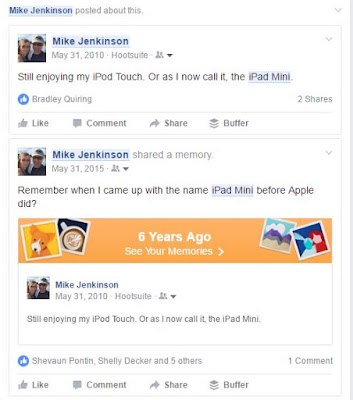
I named the iPad Mini two years before Apple released it

Image
Apple can start sending me royalty cheques any time now.

Getting onboard with Gboard

Image
Third party iOS keyboards seem to be all the rage these days, and yesterday, Google introduced their offering in this field, Gboard. How good is it? Well, I've deleted both SwiftKey and Microsoft's Wordflow from my iPhone. It's terrific. It has the same "feel" as Swiftkey with the same swipe accuracy as Wordflow, and it lets you perform Google, emoticon, GIF and pretty much any other search you want straight from the keyboard without app switching. The content you search for can then be embedded into whatever it is you're typing into. So while Twitter let me search for animated GIFs in Twitter, with Gboard, I can now search for GIFs in, say, iMessenger, and then copy and paste the GIF right into an iMessage, all from within the keyboard. I recently reviewed Wordflow and quite liked it, but there were some issues relating to the spacing and placement of things that made me slow down my typing considerably. Gboard doesn't have those issues. Th...
A week with Wordflow

Image
I spent this past week using Wordflow, Microsoft's new iOS keyboard app. (I had to download it from the US store, which was another matter entirely, as it's not in the Canadian store.) I've been using SwiftKey for a long while now and really like it, but considering Microsoft now owns Swiftkey and I figure eventually there's only going to be one main MS-owned keyboard app, I should give what I suspect will be the "winner" a test run. Overall, I like it. I think Wordflow does a much better job of predicting my next word than SwiftKey does. Wordflow is also way better at the "swiping" style of typing than is Swiftkey. And while I think Wordflow's "corner keyboard" one-hand typing gimmick is just that - a gimmick - it's probably going to be a popular gimmick.  The big downside? I type a lot slower on this keyboard than I do on SwiftKey. I am not sure why that is yet but I suspect I'm just not used to the layout of some of...

Rotating email apps

Three suggestions to improve Twitter

Image
Three things Twitter needs to do to improve its user experience: Timeline syncing/bookmarking. I use Twitter on my iPhone, my iPad, the Windows 10 Twitter app and TweetDeck. Each time I open a new app, I have to figure out where I left off in the other one and scroll to find new tweets. Tweetbot has very successfully figured out how to sync timelines across its iOS apps - when I open up Tweetbot on my iPad, it automatically figures out where I left off on my iPhone and starts my stream from there. This shouldn't be so difficult for the actual Twitter app to do. A consistent look, feel and usability across its apps . As noted by a well-read and learned blog recently, Twitter recently updated the look of its iOS app. The Favorite, Retweet and Reply buttons are on top of the tweet, next to the account icon. On the web, the Favorite, Retweet and Reply buttons are on the bottom. The Windows 10 app looks different still in terms of placement of images versus text. TweetDeck ...

So what on earth happened to Twitter's feed today?

Image
Twitter's new iOS layout ... for a few hours Around noon today, I noticed that Twitter looked really, really different on my iPhone. The normal favorite, retweet, reply buttons along the bottom were now on top next to the profile name, along with little square superscripts showing how many times the tweet had been favorited or retweeted. I'm not one to go ballistic over new formats on social media apps, but this update was ... not good. And the whole thing seemed very squished.  I searched "Twitter update" on Twitter and got hundreds of tweets, most of which contained four-letter words expressing people's displeasure with the new look. So at least I knew this wasn't just my account getting one of those random Twitter experiments. And about three hours later, the new feed vanished and was replaced by the old feed. Very weird. And @twitter just reverted me back to old layout on 2 iOS devices. pic.twitter.com/pFDW0bgltU — Mike Jenki...

#ableg at night #blog

via IFTTT